
Timesheet Approval
Approve timesheets from for each employee for each day that they have worked. Use the list to scan for outliers, then open a record to confirm hours, overtime, and tracked time.
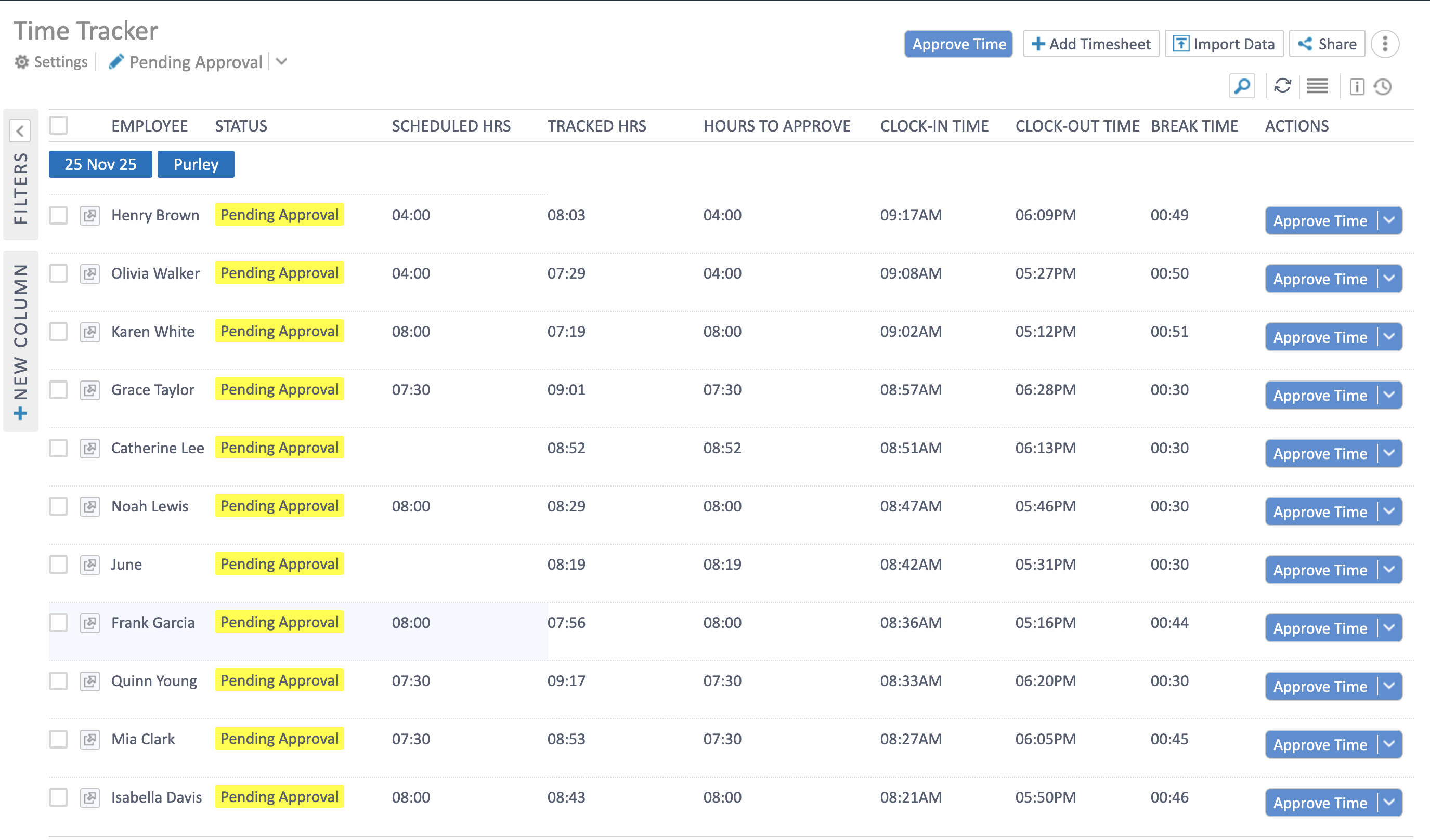
- Filter by status (Pending Approval), location, or date to focus on the right period.
- Columns show Scheduled Hrs, Tracked Hrs, Hours to Approve, clock-in/out, and break time.
- Select multiple rows and use Approve Time for bulk approvals, or open a row to review details.
Approve a single day
Section titled “Approve a single day”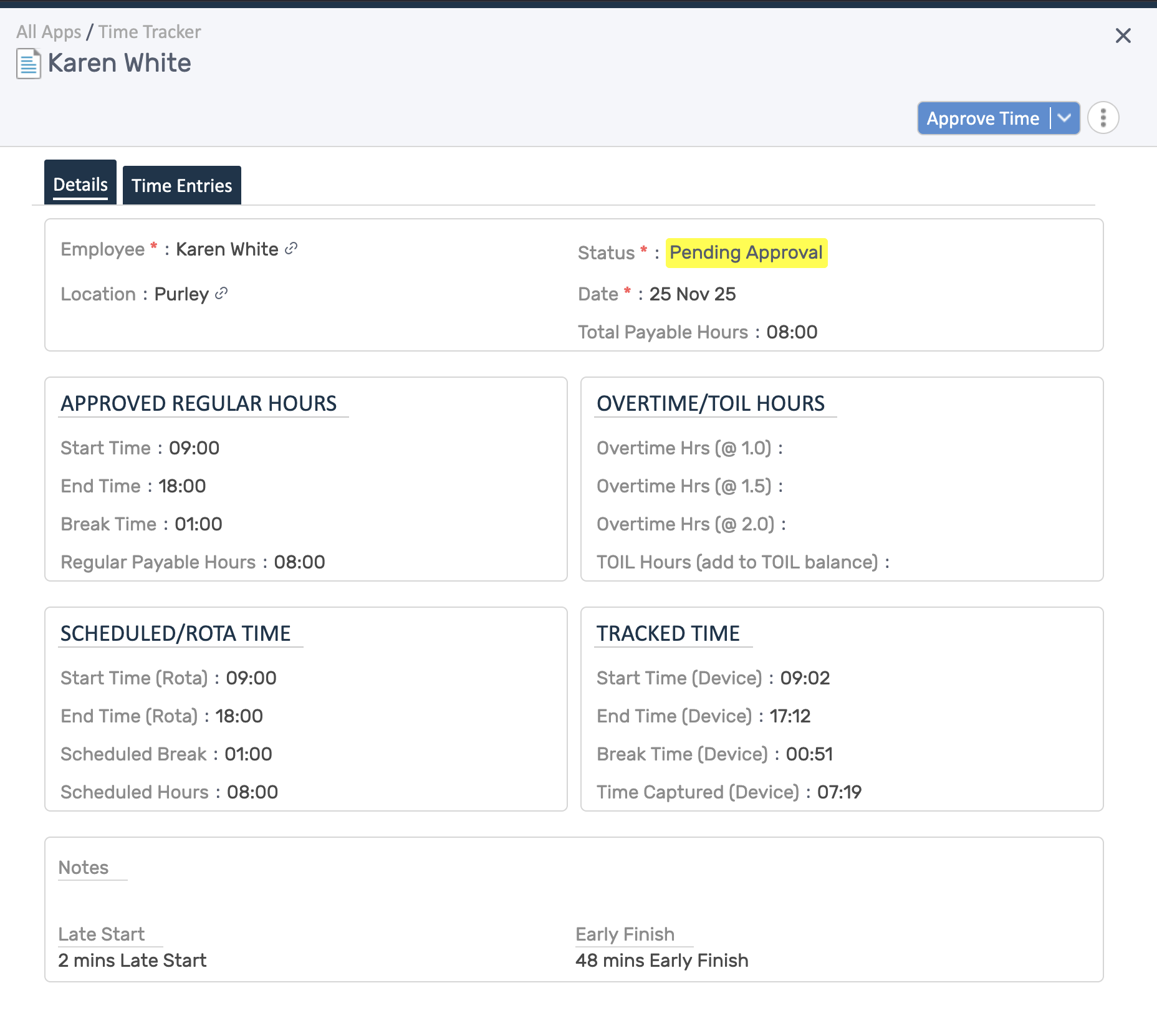
- Status and total payable hours appear at the top.
- Compare Approved Regular Hours with Scheduled/Rota Time and Tracked Time to spot variances.
- Check Overtime/TOIL Hours and notes (e.g., late start, early finish) before approving.
- Use the action menu to Approve Time, request changes, or leave a comment.
Edit before approving
Section titled “Edit before approving”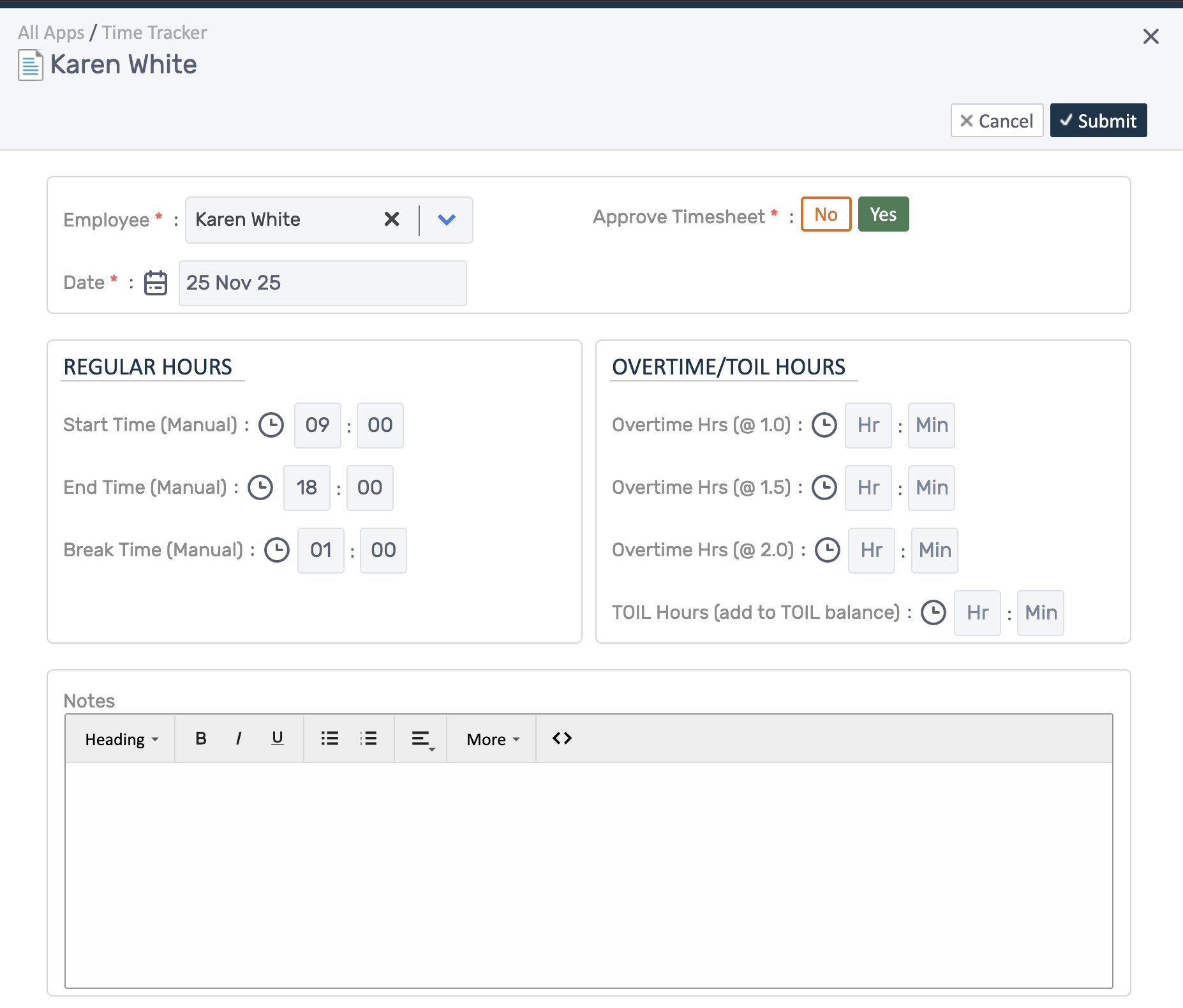
- Click Add Timesheet or Edit to adjust start/end/break times, overtime, or TOIL.
- Toggle Approve Timesheet to approve as you save, or leave it off to keep it pending.
- Keep notes concise so payroll and employees understand any adjustments.