
Submitting Timesheets
Managers can enter a day’s hours when an employee missed clocking in. Use the Time Tracker form to add their shift, overtime/TOIL, and context.
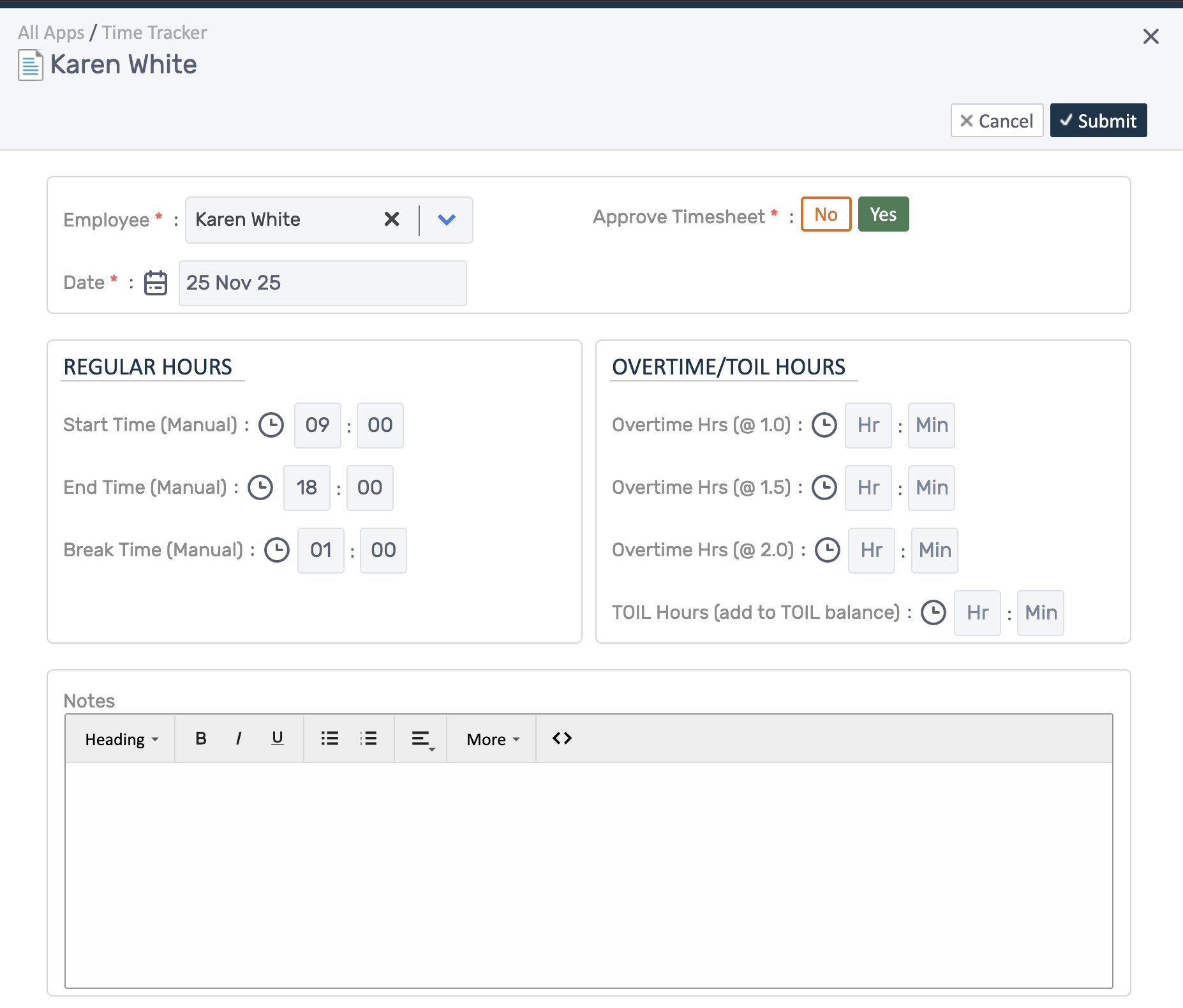
Add a timesheet for an employee
Section titled “Add a timesheet for an employee”- Open Time Tracker → Add Timesheet.
- Select the Employee and the Date.
- Enter Start Time, End Time, and Break Time; payable hours calculate automatically.
- Add Overtime (1.0x/1.5x/2.0x) or TOIL Hours if earned.
- Add a short Note explaining why you’re entering it (missed clock-in, on-call, offsite work).
- Submit. If you have rights, toggle Approve Timesheet to approve as you save.
Review/adjust
Section titled “Review/adjust”- After saving, open the entry to confirm totals and notes.
- Compare against schedule/rota if needed, then approve or request changes.
- Keep notes concise for payroll and audit clarity.