
Rota / Shift Management
Use the Rota app to plan coverage by location, role, or room. Auto-populate from working patterns, copy a solid week forward, and tweak shifts inline.
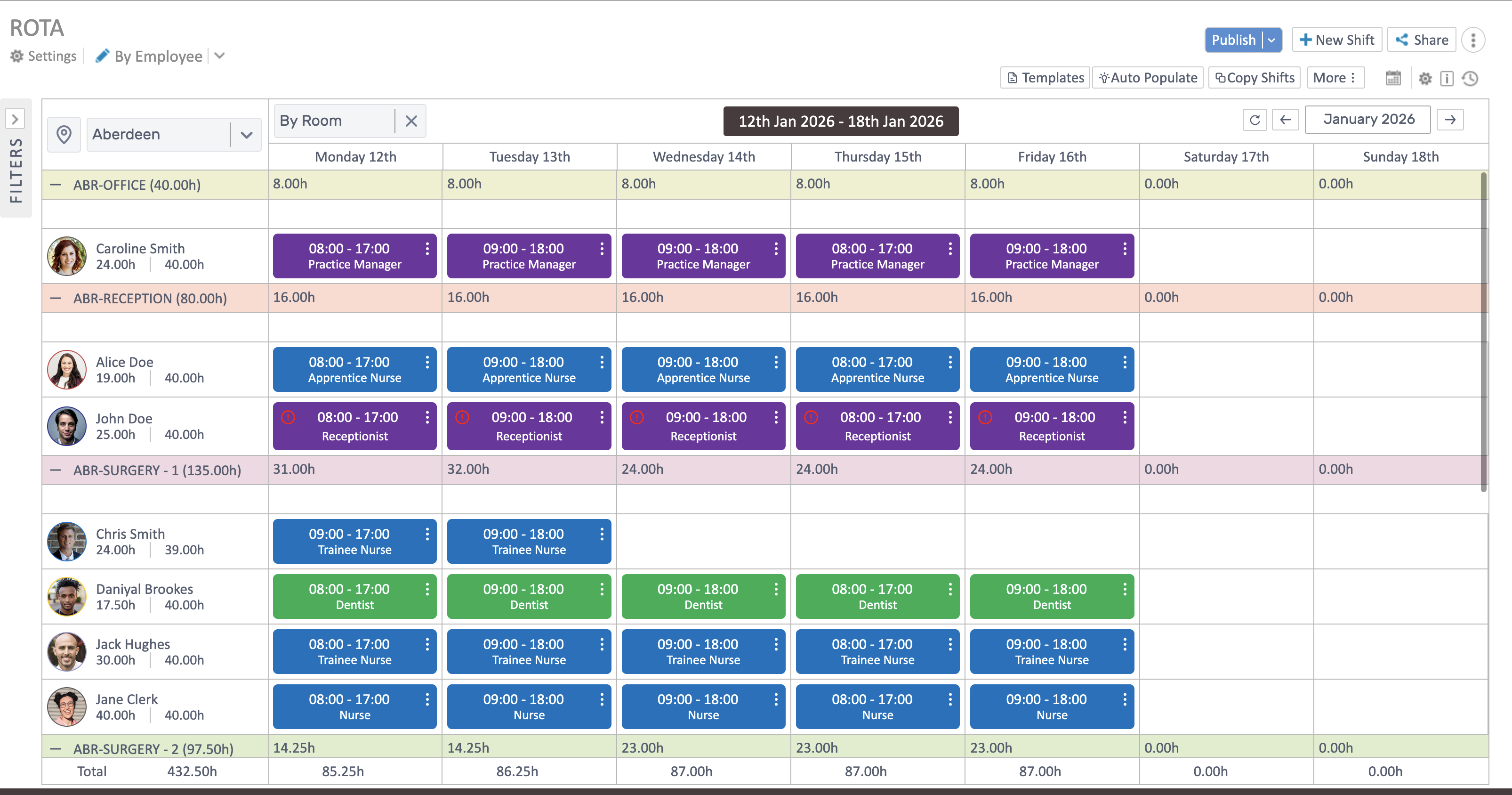
Choose your view
Section titled “Choose your view”- Filter to a location, then group By Role, or By Room.
- Totals show hours per day and per row so you can see coverage and over/under allocation.
- Move through weeks with the arrows; the header shows the active range.
Build a rota
Section titled “Build a rota”- Auto Populate: Fill the selected week(s) from working patterns. Start here, then tidy.
- Copy Shifts: Take a good week and paste it to future weeks to save time.
- Templates (if enabled): Save a layout you can reuse later.
- New Shift: Add one-off shifts with date, time, role, and location.
- Publish & Share: Lock the rota for the week and share it with your team.
Edit and fix
Section titled “Edit and fix”- Drag shifts to another day or person (when grouped by employee/role).
- Three-dot menu on each shift: Edit, Copy, or Delete.
- Conflict icons flag overlaps or availability issues—adjust time or assignment to clear them.

Good habits
Section titled “Good habits”- Auto-populate first, then copy/trim; avoid building weeks from scratch.
- Keep grouping consistent (role or room) when checking coverage.
- Only copy clean weeks so you don’t replicate mistakes.