
Requesting Leave
Request time off in a few steps and see allowances as you go.
Request time off
Section titled “Request time off”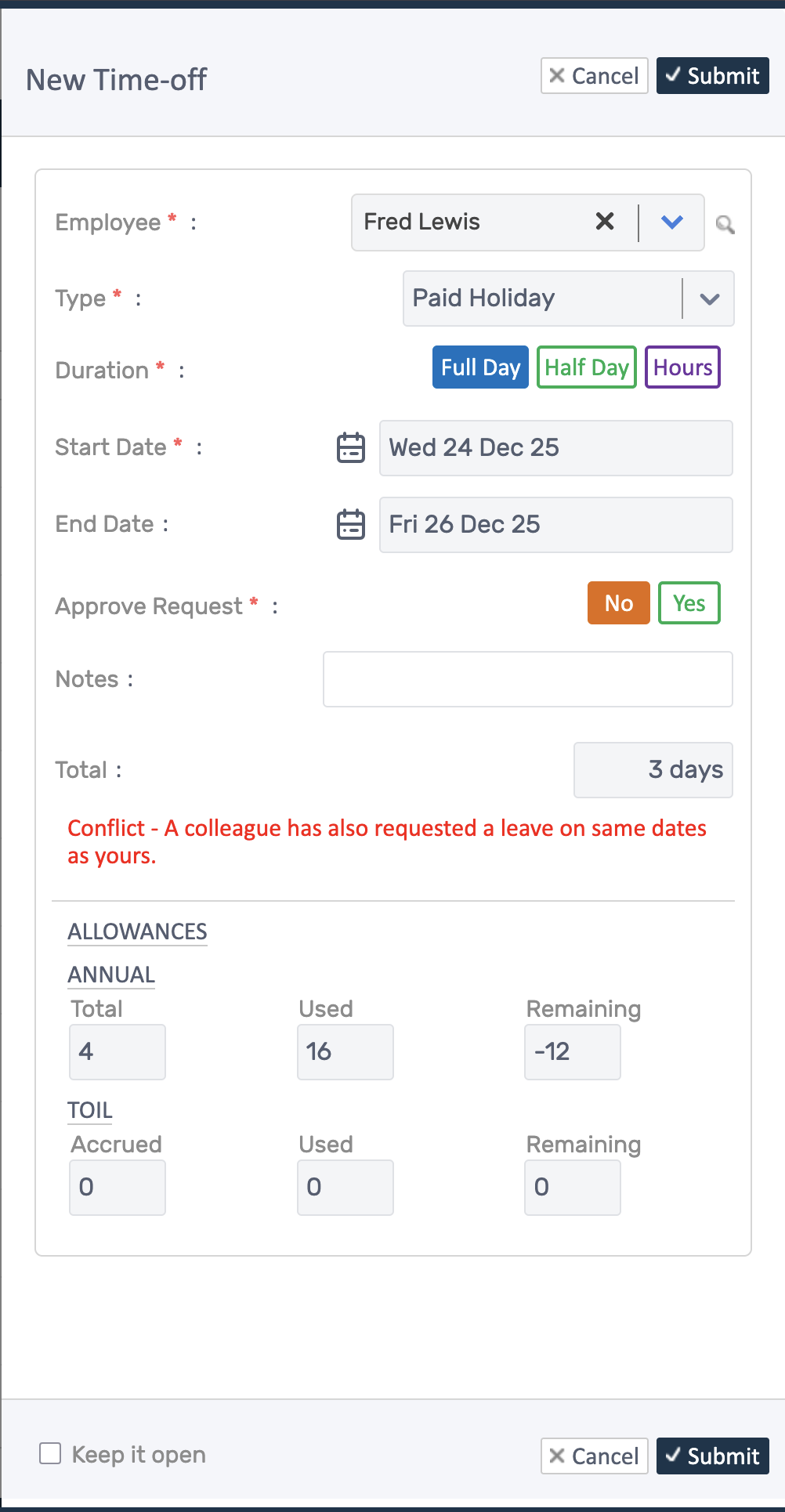
- Open Time-off Management (Shift & Attendance → Time-Off) and click Request Time-off.
- Choose Employee, Type (Holiday, Sick, Unpaid, etc.), and Duration (full, half, or hours).
- Set Start Date and End Date; conflicts show inline. Add notes if needed.
- Check allowances (total, used, remaining) shown for the employee, then Submit.
- Click Submit
- Your manager will be notified of changes
Note: Once approved, requests typically cannot be edited; they must be cancelled and resubmitted.