
Approving Time-Off Requests
Managers use the list to find requests, open details, and decide fast.
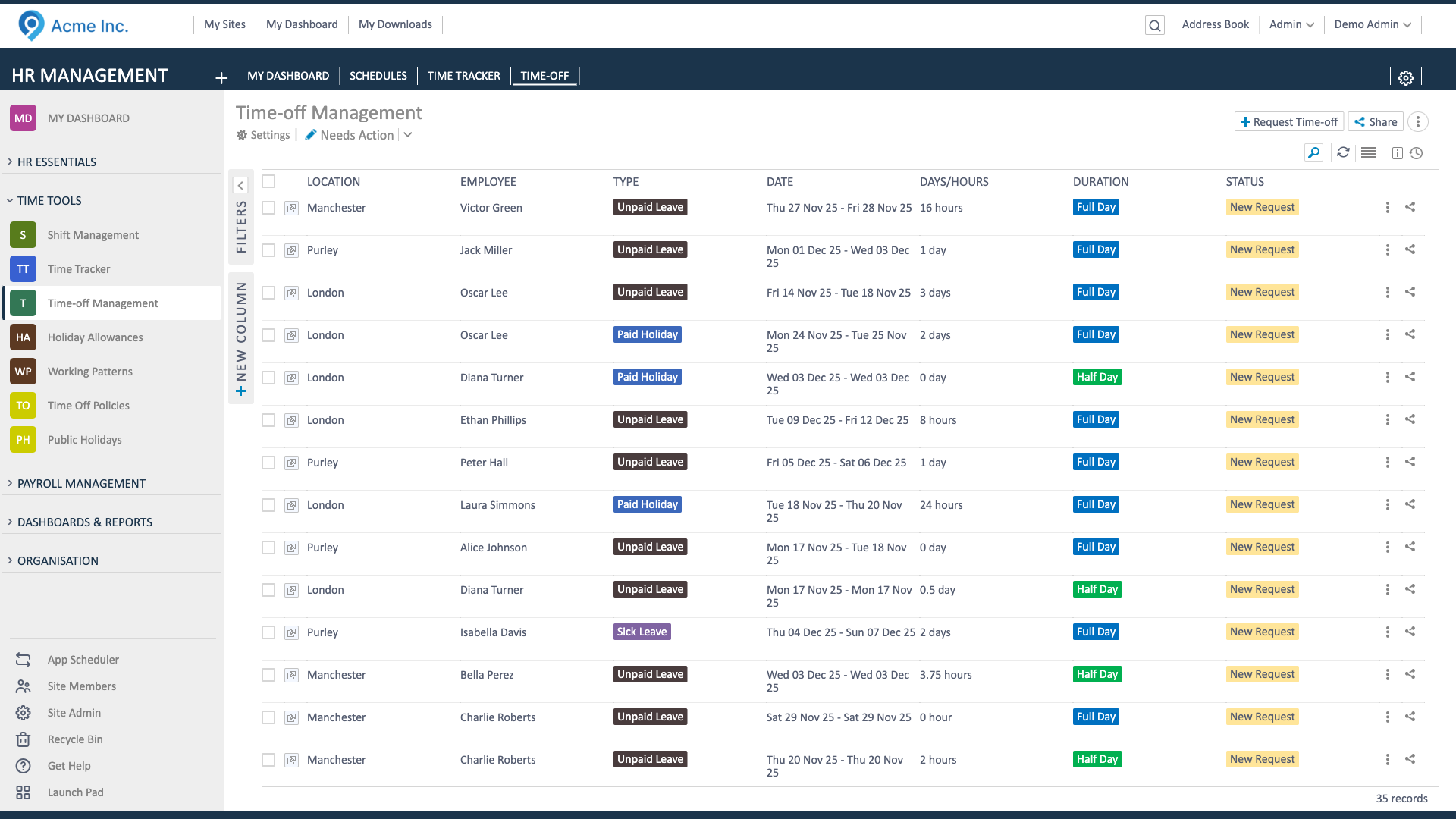
Approve in three steps
Section titled “Approve in three steps”- Find the request: Go to Time-Off Management, filter by status (Pending) or type, and pick the employee.
- Check details: Confirm dates, duration (full/half/hours), type, notes, and allowance/remaining balance. Scan the Absence Calendar if you need to check coverage.
- Decide: Click Approve or Reject. Leave a short note if you decline or need changes. Approved requests hit the calendar and deduct balance; rejections leave balance untouched.
Cancellation requests
Section titled “Cancellation requests”- If an employee requests cancellation on an approved leave, decide to Approve (balance restores, status Cancelled) or Reject (stays Approved). Managers can also cancel directly if coverage changes.