
Requesting Time-Off
The Time-Off app allows you to submit time-off requests, view your request history, and track the status of pending requests.
From the home screen, tap TIME-OFF to access the time-off management features.
To Submit a New Request
Section titled “To Submit a New Request”- Tap the + (plus) button at the bottom right of the Time-Off list
- Fill in the form and submit it.
Creating a New Time-Off Request
Section titled “Creating a New Time-Off Request”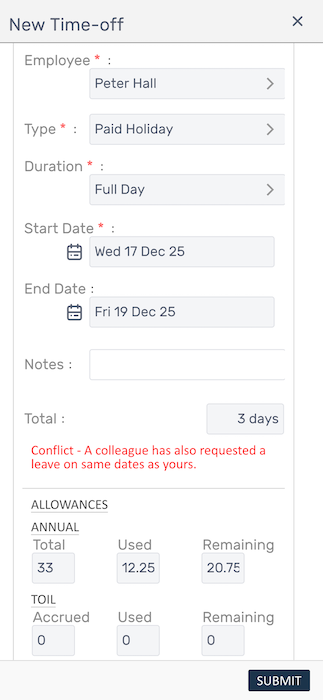
Your Time-Off Requests
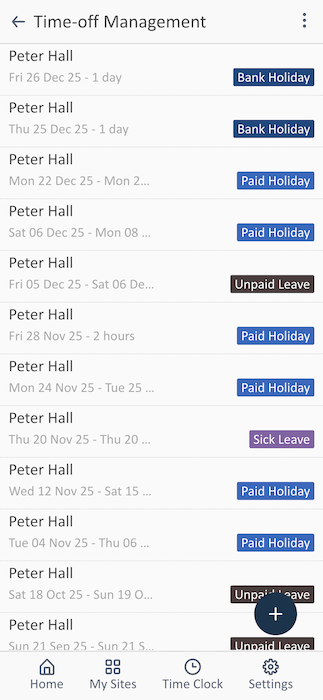
Section titled “Your Time-Off Requests”Each request shows:
- Date Range - The dates of your requested time-off
- Format: Day, date, month, year - duration
- Example: “Fri 26 Dec 25 - 1 day”
- Leave Type Badge - the type of leave:
- Bank Holiday
- Paid Holiday (standard annual leave)
- Unpaid Leave
- Sick Leave
Related Features
Section titled “Related Features”- Holiday Allowances - View detailed allowance breakdowns
- Viewing Your Rota - Check team schedules before requesting
- Viewing Timesheets - See how absences affect your timesheet