
Holiday Allowances
The Holiday Allowances feature lets you view your annual leave entitlement, track how much you’ve used, and see your remaining balance.
From the home screen, tap HOLIDAY ALLOWANCES to view your leave balances.
Holiday Allowances Screen
Section titled “Holiday Allowances Screen”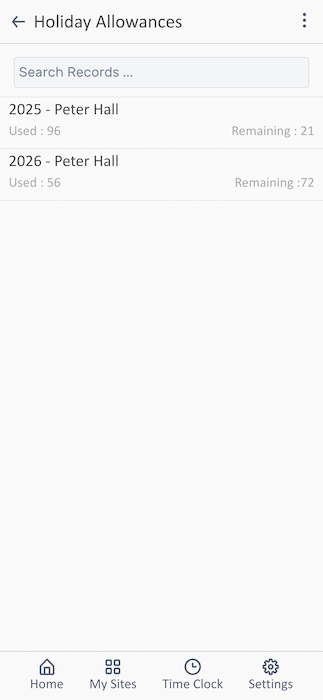
The Holiday Allowances screen displays your leave entitlement for each year.
Understanding Your Allowances
Section titled “Understanding Your Allowances”Each year’s allowance shows:
Year Period - The calendar year or leave year
- Example: “2025 - Peter Hall”
Used - Total days already taken or approved
- Example: “Used : 96”
- Includes approved past leave and pending future requests
Remaining - Days still available to use
- Example: “Remaining : 21”
- Your available balance for booking time off
Related Features
Section titled “Related Features”- Requesting Time-Off - How to submit leave requests
- Viewing Your Rota - Check schedules before booking
- Viewing Timesheets - See how leave affects your timesheet