
Document Management for Employees
Overview
Section titled “Overview”Use the HR Documents app to keep all employee related documents like proof of right-to-work, contracts, certifications, and policies up to date. Upload the file, tag it with the right document type, set expiry if it applies, or edit inline later if details change. Clean metadata (type, name, dates) drives expiry alerts (sent 4 weeks before exipiry date) and keeps compliance checks reliable.
Upload a document
Section titled “Upload a document”- Navigate to the → HR Documents app
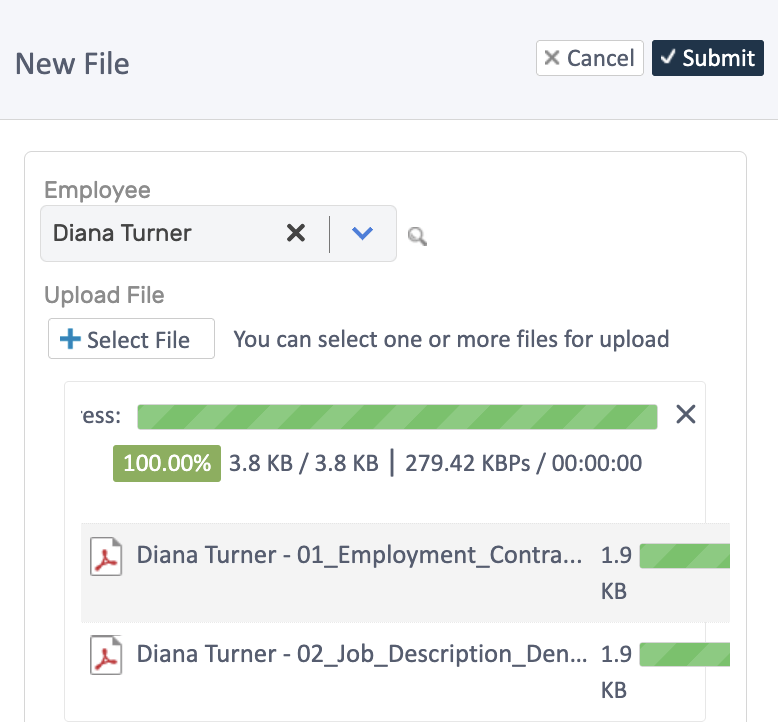
- Click Add/Upload Document
- Select the employee first
- Choose a one or more files
- Click Submit.
Categorise & Update
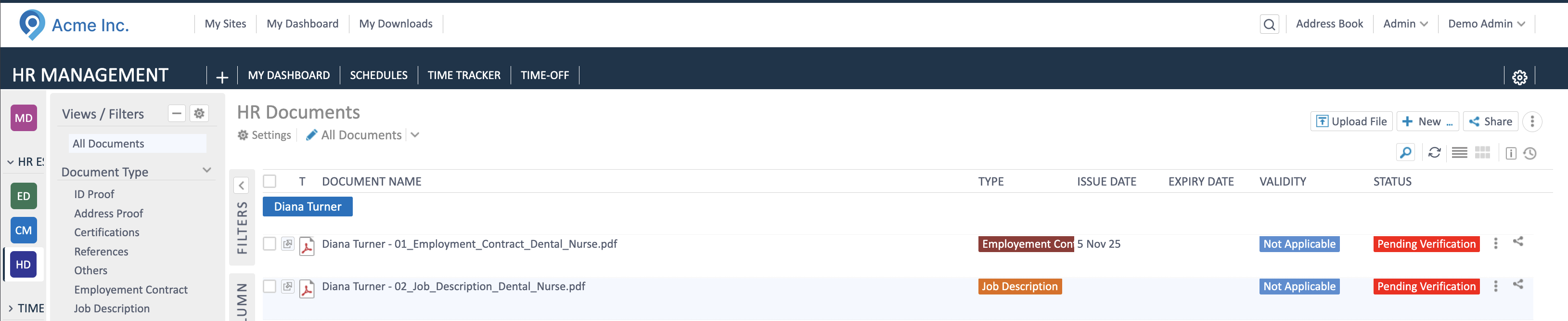
Section titled “Categorise & Update”After upload, adjust details directly from the list:
- Quick edit: double-click a field (type, expiry, etc.) and change the value.
- Full record: open the document row, edit details, and save.
Expiry basics
Section titled “Expiry basics”- Always set Expiry for licenses/visas/insurance.
- Use quick edit to correct dates; status updates automatically (valid/expiring/expired).
- Upload renewed documents as soon as you have them and update the expiry date.
Related Topics
Section titled “Related Topics”- Employee Management - Core concepts
- Managing Records - Update employee information
- Contracts - Contract amendments and history