
Contract Templates
Overview
Section titled “Overview”Contract Templates is an online contract template editor that allows your organisation to create, store, and manage reusable contract templates by role. When a digital contract is created, the system pulls the selected template and automatically replaces placeholders with values from the contract record — ensuring consistent, accurate contract wording every time.
Contract Templates app
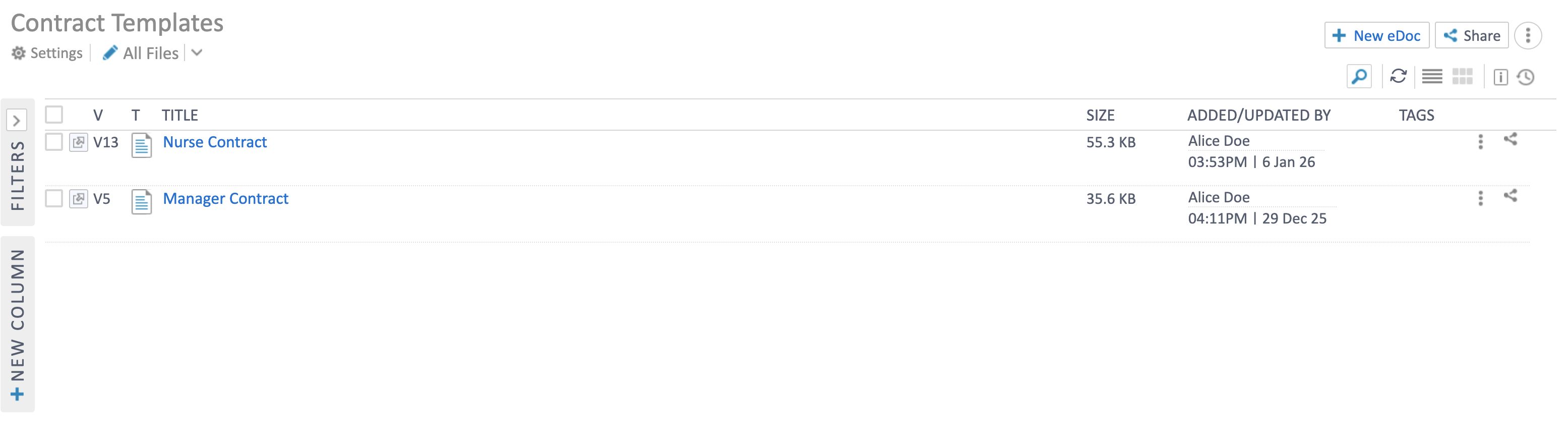
Section titled “Contract Templates app”The Contract Templates app lists all templates your organisation has created. Each template shows the title, version number, file size, and who last updated it.
Create a new template
Section titled “Create a new template”- Open the Contract Templates app.
- Click + New eDoc in the top-right corner.
- Enter a Page Title — use a descriptive name that reflects the role (e.g. “Receptionist”, “Nurse Contract”, “Manager Contract”).
- Use the built-in editor to draft the contract wording. The editor supports formatting options including bold, italic, underline, numbered lists, font size, alignment, and more.
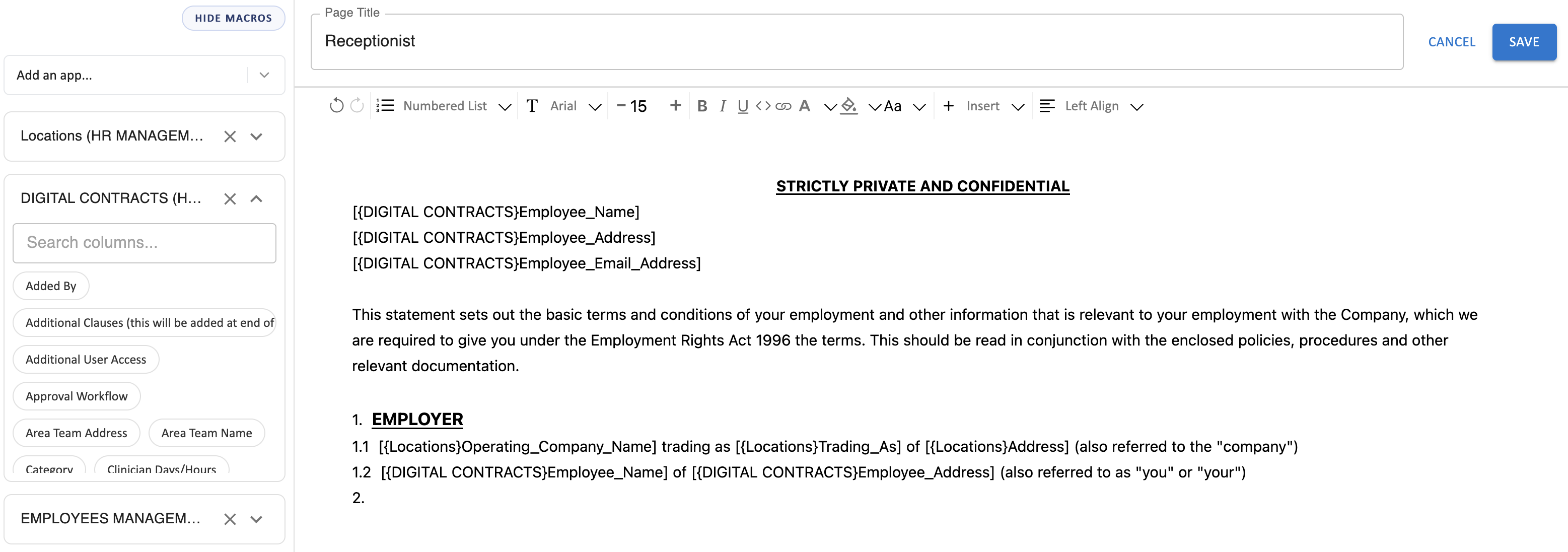
- Insert placeholders using the column panels on the left side. These panels show available fields from linked apps such as Digital Contracts, Locations, and Employee Management. Click a field to insert it as a placeholder in the template body.
- Example placeholders:
{{DIGITAL CONTRACTS}Employee_Name},{{DIGITAL CONTRACTS}Employee_Address},{{Locations}Operating_Company_Name}.
- Example placeholders:
- Click Save when finished. The template is versioned automatically — each save creates a new version so you can track changes over time.
Using placeholders
Section titled “Using placeholders”Placeholders are dynamic tokens that get replaced with actual values when a digital contract is generated. They pull data from:
- Digital Contracts — employee name, address, email, job title, pay rate, contracted hours, and other contract-specific fields.
- Locations — company name, trading name, address, and other location details.
- Employee Management — additional employee fields as needed.
When drafting a template, position your cursor where you want the value to appear, then click the field name from the left panel to insert the placeholder.
Good practice
Section titled “Good practice”- Create one template per role or contract type to keep wording specific and relevant.
- Use clear placeholder names so the generated contract reads naturally.
- Review templates periodically to ensure they reflect current legal requirements and company policies.
- The version history allows you to see who updated the template and when — use this for audit purposes.
Related Topics
Section titled “Related Topics”- Digital Contracts — Issue contracts to employees using these templates
- Contract Amendments — Amend existing contracts without re-issuing
- Contracts Management — Section overview